
 МИ ПРАЦЮЄМО ДЛЯ УКРАЇНИ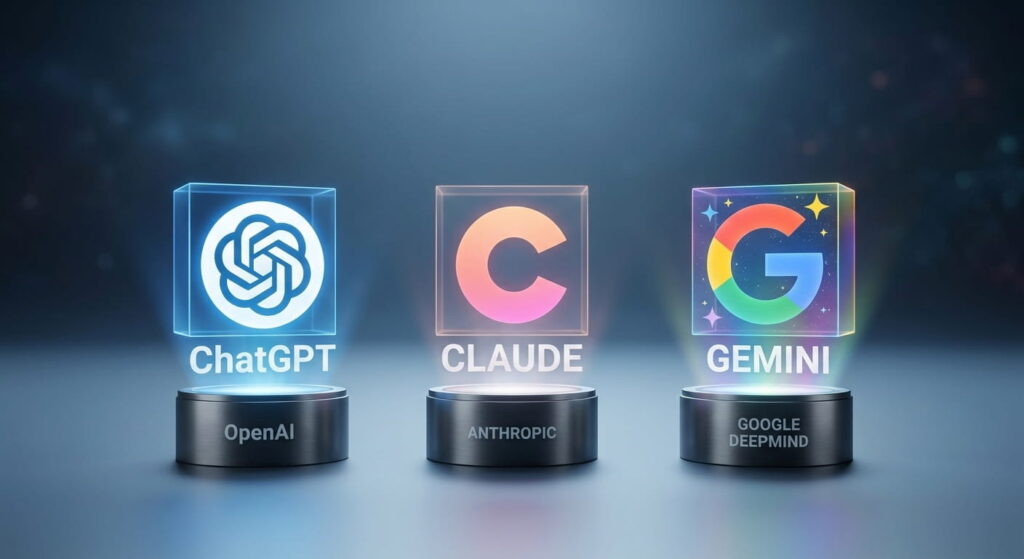
Table of Contents
- How these three models actually differ
- Comparison table
- ChatGPT or Claude for coding
- ChatGPT or Gemini for writing content
- Claude or ChatGPT for data analysis and spreadsheets
- Which model gives more accurate answers
- How much it costs in 2026
- Where each model works best
- Data security
- How to make a simple choice
- FAQ
How these three models actually differ
ChatGPT, Claude, and Gemini are often presented as three identical chatbots from different companies. That is not the case. Each company follows a unique approach, which makes them noticeably different in real-world application.
ChatGPT was created by OpenAI. It is the most versatile all-in-one tool: it writes texts, generates images and videos, and can browse the web to perform tasks for you. If you need a single tool capable of handling almost any general task, ChatGPT is the choice.
Claude was created by Anthropic. It is less focused on entertainment, but significantly better at writing code and long-form prose. The difference is immediate: Claude’s outputs contain far fewer stereotypical AI buzzwords like “in today’s fast-paced digital landscape”—clichés that typically reveal machine generation.
Gemini was created by Google. Its main advantage is native integration into everyday Google Workspace tools: Gmail, Google Docs, Google Sheets, and Google Meet. There is no need to visit a separate website—Gemini appears right inside your existing workspace.
Comparison table
| Key criteria | ChatGPT | Claude | Gemini |
|---|---|---|---|
| When to choose | you need an all-in-one universal tool | coding and client-facing copy | you already use Gmail, Docs, and Sheets |
| Code generation | decent for basic tasks | superior for complex projects | improved, but still catching up |
| Client-facing copy | good, tone sometimes needs editing | sounds least like a bot | good, but tone can be rigid |
| Spreadsheet handling | great calculations and charts | handles larger datasets better | convenient directly inside Google Sheets |
| Context window size | medium | large, maintains quality throughout | very large |
| Individual pricing | from $20/mo | from $20/mo | from $20/mo |
| Team pricing (per seat) | approx. $20–25/mo | approx. $25–30/mo | often included in Google Workspace |
ChatGPT or Claude for coding
Marketing claims from every company state their model is best at writing code. However, independent benchmarks and real-world testing show Claude consistently performing better on complex, multi-file software projects—such as debugging a large repository rather than generating a simple isolated script. For basic tasks, the difference is negligible.
If your team maintains an active website or software application, starting with Claude is advisable. For occasional minor coding tasks, whichever tool you find most accessible will suffice.

ChatGPT or Gemini for writing content
Case studies demonstrate clear stylistic differences. In a 2026 test by Improvado, several models were asked to write a data-driven marketing example. ChatGPT began with “In today’s fast-paced digital world”—a classic generic cliché. Gemini provided an accurate but overly verbose response. Claude provided a concise, data-backed response with minimal fluff across all attempts.
To test this yourself: prompt two or three models with a real client document—such as an email, proposal, or article—and see which output requires the least manual editing.

Claude or ChatGPT for data analysis and spreadsheets
The choice depends on where your data lives. ChatGPT handles CSV files effectively: calculating averages, building visualizations, and spotting anomalies in large datasets. Claude performs better when processing extensive context simultaneously—such as cross-referencing multiple quarterly financial reports against contract terms. Gemini is optimal for direct analysis inside Google Sheets without extra file uploads.
For quick one-off calculations, performance is comparable. For heavy ongoing data analysis, test Claude against your actual business documents.

Which model gives more accurate answers
There is no definitive winner. All models hallucinate differently depending on the context. In high-stakes fields—such as legal documents, financial planning, or sensitive customer information—Claude is more likely to provide a cautious, precise response rather than a confidently incorrect one. For routine daily tasks—writing emails, retrieving facts, or planning workflows—the accuracy gap is negligible.
When accuracy directly impacts finances or reputation, cross-verify the results by running the same prompt through two different models.
How much it costs in 2026
Individual plans cost around $20 per month across all three services. Pricing diverges when scaling for teams.
ChatGPT for Teams costs approximately $20–$25 per user per month. Claude for Teams is slightly higher at around $25–$30 per user per month. Gemini for Business is frequently bundled with existing Google Workspace subscriptions, making it the most cost-effective option for organizations using Google tools.
For smaller teams, minor price differences per seat matter less than the actual time saved across daily workflows.
Where each model works best
- ChatGPT — Has the largest library of custom integrations, plugins, and third-party extensions for tasks ranging from trip planning to resume screening.
- Claude — Integrates better with developer environments, making it a preferred choice for engineering and technical teams.
- Gemini — Directly built into Gmail, Google Docs, Google Sheets, and Google Meet, requiring no external setup.
Data security
Data privacy depends on your subscription tier rather than the brand itself. All three providers offer enterprise tiers guaranteeing that corporate data will not be used to train future models. However, these privacy terms must be verified in the service agreement—free and standard individual tiers often lack these guarantees. Anthropic emphasizes security as a core focus for Claude, but enterprise-level data protection for ChatGPT and Gemini is equally robust when using business accounts.

How to make a simple choice
Instead of reading endless comparisons, take a practical approach.
Identify the single task that consumes the most time for your team daily. Choose your primary tool based on that task. If it’s software development, test Claude alongside ChatGPT. For client communication and content creation, compare outputs from Claude and ChatGPT to see which requires less editing. If your organization relies on Google Workspace, test Gemini before adding another paid subscription. If working with confidential data, review the privacy terms of the business plan before evaluating response quality. Many companies subscribe to multiple services simultaneously—using one for coding and another for general workflows.
Conclusion
There is no single “smartest” model among ChatGPT, Claude, and Gemini. Each model excels in its own domain: Claude in code and natural text generation, Gemini in Google Workspace integration, and ChatGPT in general-purpose versatility. The simplest approach is to run a one-month trial with two models, test them on your actual workload, and evaluate which fits your workflow best.
Frequently Asked Questions (FAQ)
Are free versions sufficient for work?
Initially, yes. However, free tiers have daily usage limits and may not grant access to the latest model versions, making them insufficient for regular team operations.
Is it necessary to standardize on one model company-wide?
No. It is common for different departments to use different tools—for example, engineering teams using Claude while business teams use ChatGPT.
Can we trust these models with customer data?
This depends on the subscription plan rather than the model itself. Paid business/enterprise tiers generally guarantee that corporate data will not be used for model training; verify this in the contract terms before deployment.
What should I do if a model gives an incorrect answer?
All models are subject to errors. For critical tasks—such as financial calculations, legal matters, or medical topics—treat AI outputs as drafts that require human verification.
How long does it take for a team to onboard?
Typically one to two weeks if provided with prompt templates tailored to their tasks. Without templates, team members spend unnecessary time experimenting from scratch.
Does company size affect tool selection?
Yes, primarily due to licensing structures. Small teams can rely on standard paid accounts, whereas larger organizations should evaluate team or enterprise licensing for volume discounts and centralized management.
Can these models be integrated into our custom website?
Yes, all three platforms offer APIs for integration into websites or internal software. This requires custom software development.
Which model is easiest to adopt without technical support?
ChatGPT or Gemini—both offer intuitive web interfaces that require no technical setup, with Gemini offering seamless integration for existing Google users.
Does prompt structure significantly impact output quality?
Yes, often more than the choice of model itself. A well-structured prompt with clear examples yields significantly better results across all three platforms compared to short, vague prompts.




comments