
 МИ ПРАЦЮЄМО ДЛЯ УКРАЇНИ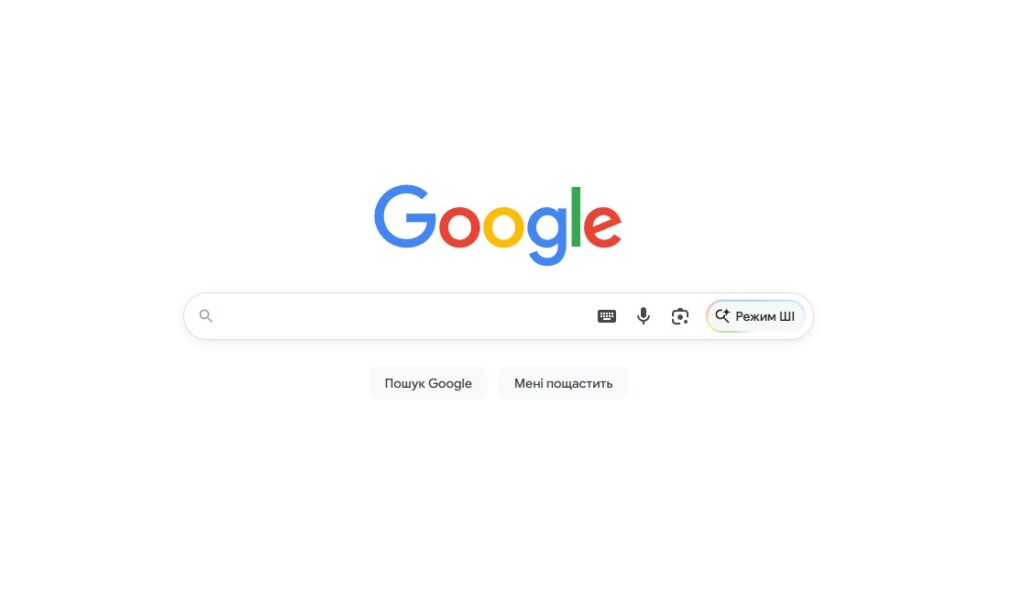
Table of Contents
- What Is Search Personalization
- What Data Google Uses for Personalization
- What Is a “Filter Bubble” and Why It Matters
- Why Search Personalization Matters in the Google System
- How to Check Search Results Without Personalization
- How Personalized Results Affect SEO
- How to Disable Google Personalization Permanently
- Summary
What Is Search Personalization
Search personalization is the filtering of results tailored to a specific user. Google doesn’t show everyone the same list of websites. Instead, the algorithm gathers data about a person and builds a search result page that it believes is best suited for them.
Researchers at Northeastern University calculated that due to personalization, 11.7% of search results differ among various users. The figure seems small, but in practice, it means that one or two websites in the top ten are different for everyone.
This is exactly why SEO specialists do not check a website’s rankings from their own computers. The result will be distorted.
“Personalization is a nuisance. It’s an algorithm deciding for you what information you’re going to see,” — Eli Pariser, author of the book “The Filter Bubble” and creator of the “filter bubble” concept, which he presented at TED in 2011.
What Data Google Uses for Personalization
Google personalized search is shaped by several groups of signals.
Search History. Google remembers what you searched for previously. If you frequently visit news websites, they will appear higher in your search results.
Geolocation. Google determines location by IP address and GPS (if permitted). A query for “coffee shop” in Kyiv and in Kharkiv will yield completely different results. This is localization — and Google officially does not consider it part of personalization, though the effect is the same.
Device and Browser. A mobile phone and a laptop yield different search results. Mobile results often differ due to the priority given to mobile-friendly websites (mobile-first indexing).
Activity in Google Services. YouTube, Gmail, Google Maps — they all feed data into a unified user profile. If you watch cooking videos on YouTube, Google may consider you more relevant for culinary content.
Language and Region. Google adjusts search results according to the language settings of the account and browser.
What Is a “Filter Bubble” and Why It Matters
The concept of the “filter bubble” was described by Eli Pariser. The idea is simple: the algorithm shows you things you have already reacted to before. Over time, the results narrow down — you see fewer new perspectives and more confirmations of what you already know.
Pariser’s classic example: two of his acquaintances entered “BP” into Google at the same time. The first saw news about the oil spill in the Gulf of Mexico. The second saw investment analytics about the company’s stocks. The exact same query — a completely different picture.
“We think we are looking at the internet — but actually the internet is looking at us,” — Eli Pariser, TED Talk 2011.
For an ordinary user, it’s a matter of informational diversity. For business, it’s a direct threat: a client to whom Google doesn’t show your website will not become a buyer.
Why Search Personalization Matters in the Google System
Google’s personalized results solve a real problem: they save the user time. Instead of wading through irrelevant websites, a person immediately sees results that are more likely to suit them.
For business, this means that a properly optimized website reaches people who already have a corresponding interest. Personalization enhances relevance — but only if the website aligns correctly with the signals Google uses to qualify it.
At the same time, the personalization of search queries complicates the work of SEO specialists. Position “number 1” for you doesn’t mean “number 1” for your potential client. Therefore, real positions are checked only with special tools without considering personal data.

How to Check Search Results Without Personalization
There are several ways to see “clean” search results — without the influence of your own history and account.
| Method | What it removes | What remains | For whom |
| Incognito mode | Account, session cookies | Geolocation, IP | Quick check |
| Sign out of Google account | Personal history | Geolocation | Basic check |
| &pws=0 parameter in URL | Account personalization | Geolocation | Technical check |
| SEO tools (Ahrefs, SEMrush) | All personal data + geo | No personal data | Accurate analysis |
| Search from another country | Personalization + geo | — | International analysis |
The method with the &pws=0 parameter is the simplest technical way. Go to Google, perform a search, and add &pws=0 to the end of the URL. Google will disable account-based personalization.
Since December 2024, Google has added a “Try without personalization” button to the footer of the search page. Previously, only SEO specialists knew about this parameter — now it is available to everyone.
Incognito mode is not a complete solution. It removes account data and cookies, but Google still sees your IP and, accordingly, your geolocation. The results will be cleaner, but not completely neutral.
Professional SEO tools are the only way to check a website’s search results without personalization, accurate down to the city and device. They make requests from neutral servers without any personal data.
How Personalized Results Affect SEO
Personalization makes it harder to track a website’s real rankings. If you check positions from your own computer, the result will be inflated. Google knows that you frequently visit your own website and pushes it higher up for you.
Therefore, the phrase “we are top-1 in Google” means nothing without specifying the verification method. In 2026, “top-1” is always a relative position that depends on who is searching and from where.
“Traditional search rankings are now relative to each user. A number 1 position for a keyword could end up on the second page for someone with a different history or geolocation,” — Digital Thrive, SEO Personalization Study, 2026.
For a business owner, this means it is necessary to monitor rankings using neutral tools or through SEO promotion with regular reports based on anonymized data.
How to Disable Google Personalization Permanently
For those who want to see neutral search results all the time:
- Go to Google → Settings → Privacy and Security → Web & App Activity.
- Turn off activity saving or delete previous history.
- Sign out of your Google account before searching.
- Use alternative search engines: DuckDuckGo doesn’t store data; Startpage shows Google results without tracking.
Important: turning off personalization does not mean anonymity. Google still determines geolocation based on IP.
Summary
Google personalized search is a reality that affects which websites your clients see. If your website holds the first position in your browser, it doesn’t mean that potential buyers see it the same way.
Checking real rankings must be done through neutral tools or the &pws=0 parameter. And for a comprehensive analysis of how your website appears to different audiences and regions, systematic SEO work is required.
If you need help analyzing rankings and working on search results without the “rose-colored glasses” of your own account, reach out to the outsourcing.team.




comments