МИ ПРАЦЮЄМО ДЛЯ УКРАЇНИ
 Input data
 Progress of work
Effective management of clients and internal processes is critically important for companies. Without a centralized system for tracking interactions, leads, deals, as well as managing tasks and personnel, businesses face problems of inefficiency and data loss. Existing CRM solutions are often expensive and complex to set up.
That’s why many companies are looking for flexible and affordable alternatives. Notion is a versatile workspace that combines databases, documents, and calendars. Its modularity allows for the creation of customized management systems.
We faced a challenge: existing fragmented tools led to inefficiency. It was decided to develop our own comprehensive system based on Notion, which would cover CRM functionality (client management) and HRM elements (personnel, project, task, and financial management). The goal was to optimize client work and unify internal operational processes, creating a single source of truth for the entire team.
1. CRM Home Page
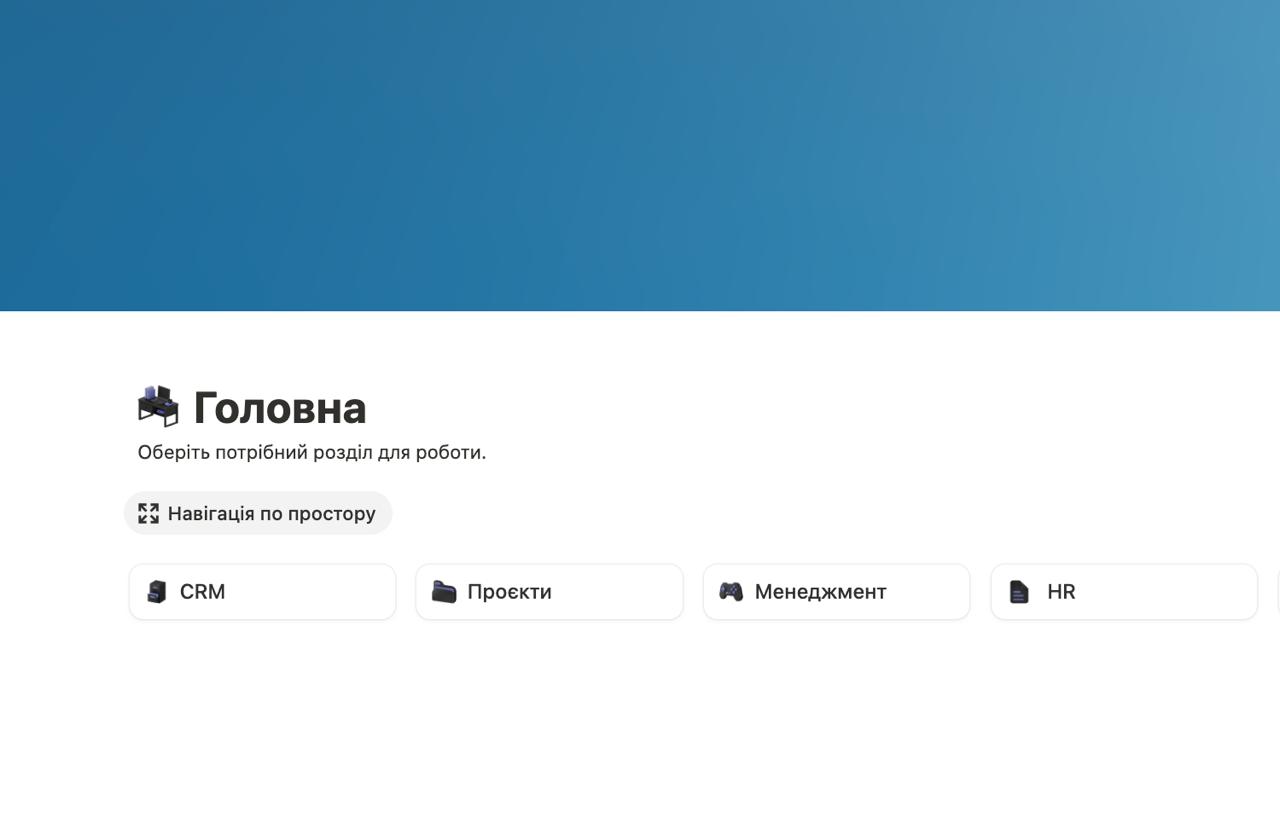
The process of implementing a comprehensive system in Notion began with the formation of a centralized hub – the Home Page. This page became the entry point for users and a key element for integrating disparate functions into a single structure.
Our goal was not just to create a set of separate databases, but to combine them into a logically structured, easily accessible system. The Home Page acts as a kind of “dashboard,” providing quick access to the main modules of the system. Each module is responsible for a specific aspect of the activity.
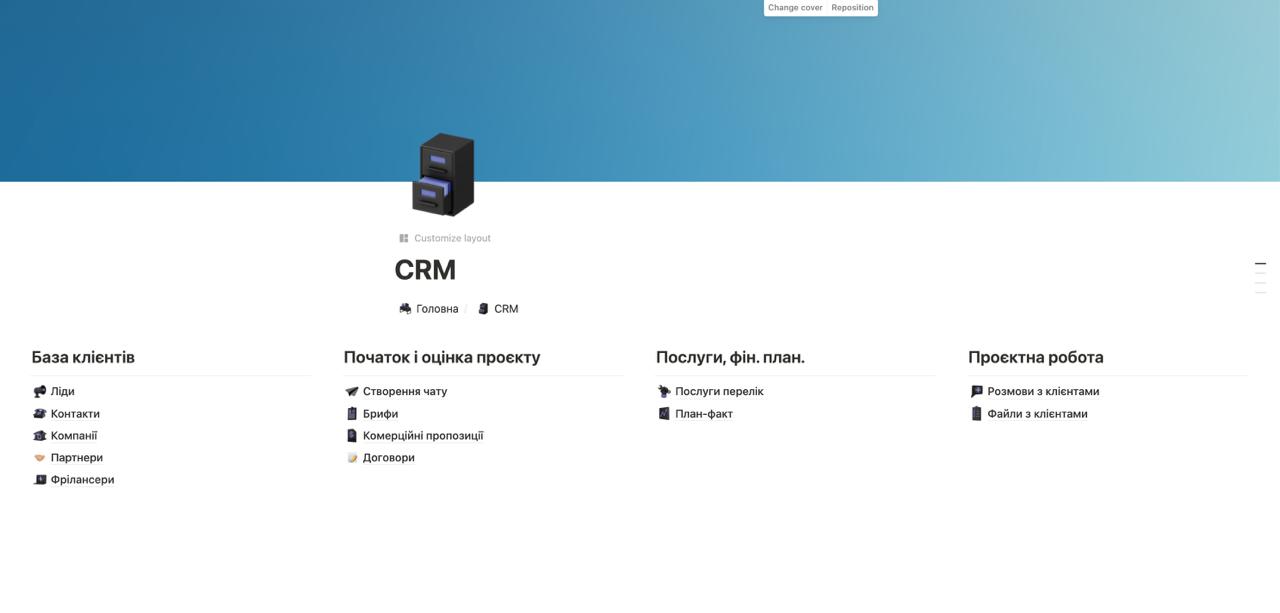
2. Customer Information Management: “Companies” Section
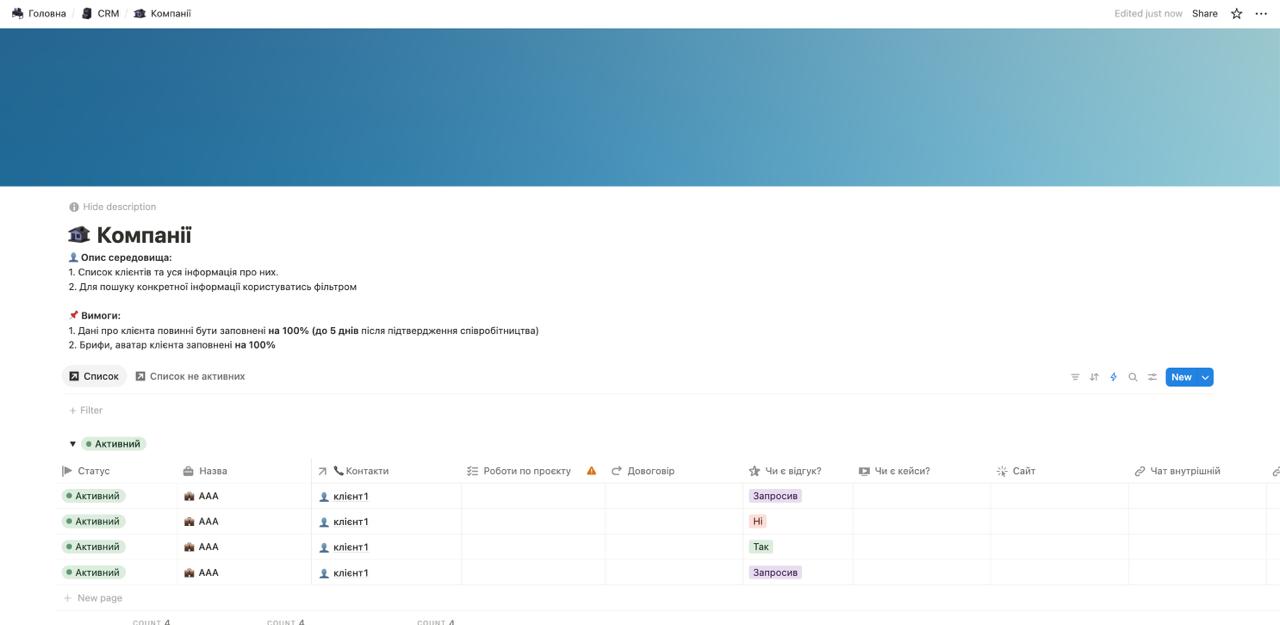
The central element of our CRM module was the “Companies” database. It serves as a single source of reliable and systematized information about each client. The implementation of this database significantly improved the accessibility and consistency of data that was previously fragmented.
The “Companies” structure provides a comprehensive overview of the client, including key fields: Status, Name, Contacts (link to individuals), Project Work (integration with projects), Contract, availability of Feedback or Case Study, Website, and Internal Chat for communication.
This database allows for effective filtering, sorting, and viewing of data, for example, quickly switching between active and inactive clients. Such a centralized data repository improved data accessibility and contributed to the consistency of actions of all involved teams.
3. Contact Details: “Contacts” Section
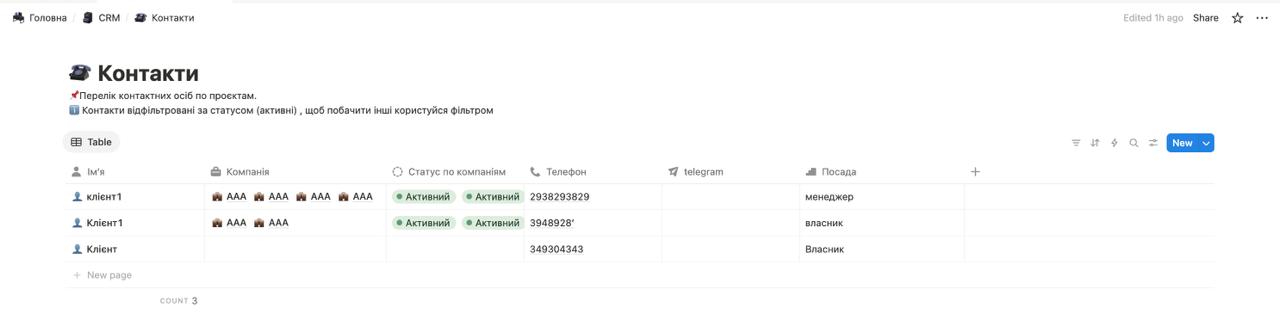
The next step in creating the CRM module was the implementation of a separate “Contacts” database. This section is key for storing and systematizing information about all contact persons associated with clients or projects, providing quick access to their data.
The “Contacts” database contains the Contact Name, its connection to the corresponding Company, Status by companies, Phone, Telegram, and Position.
The filtering functionality by status (e.g., “Active”) allows for effective communication management. This centralized and structured database significantly increases the efficiency of client work by providing easy access to necessary information.
4. “List of Services” Section
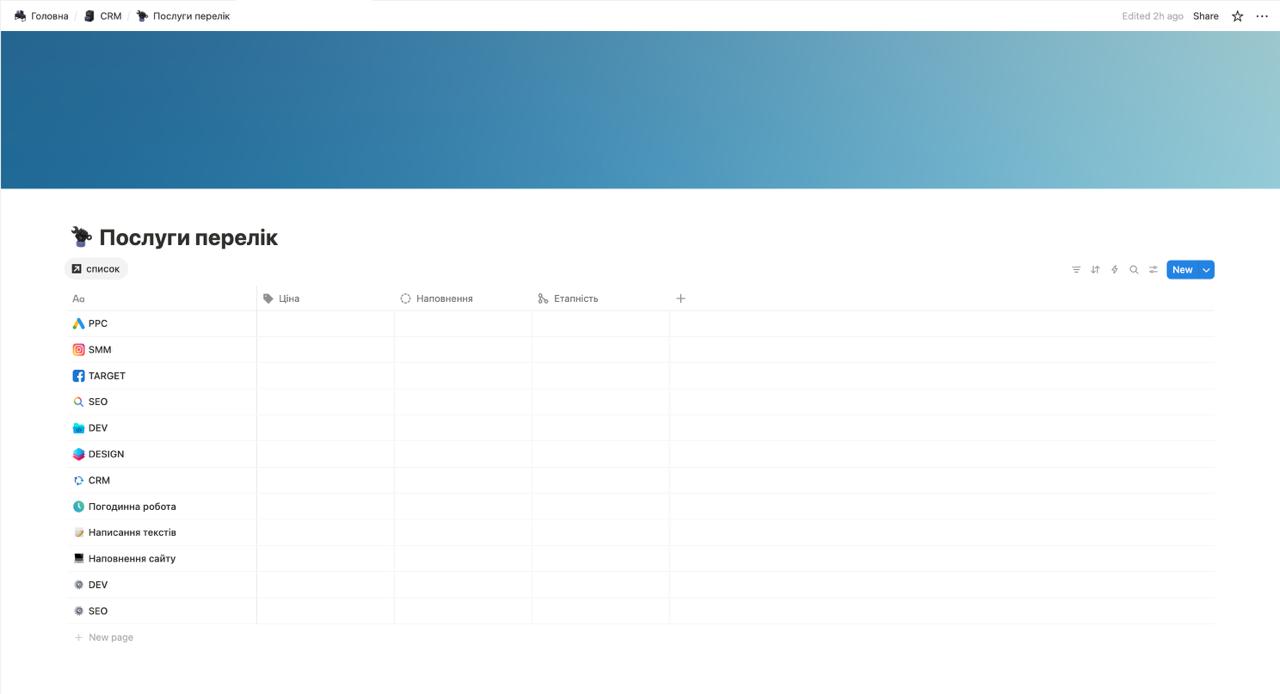
The next important step in the implementation process was the creation of a centralized “List of Services” section in the CRM module. This database is designed to systematize and display all services offered by the company. Its main function is to provide quick access for managers and employees to an up-to-date catalog of services, their prices, content, and execution stages.
Such a detailed list allows not only quick orientation in the company’s offerings but also effective formation of commercial proposals and project evaluation, based on clearly defined parameters for each service. This ensures transparency for both the internal team and clients.
5. “Contracts” Section
An important part of our CRM module was the implementation of the “Contracts” database. This section is a centralized repository for all contractual documents and related information, providing quick access to legally significant data and its systematization. Its main function is to simplify contract management, monitor their status, and link them to relevant clients and services.
This system allows not only to store links to current contracts but also to quickly find them by various parameters, which is critically important for legal transparency and business efficiency. The implementation of a centralized contract database significantly simplified the process of document management and increased the operational speed of access to it.

6. “Briefs” Section
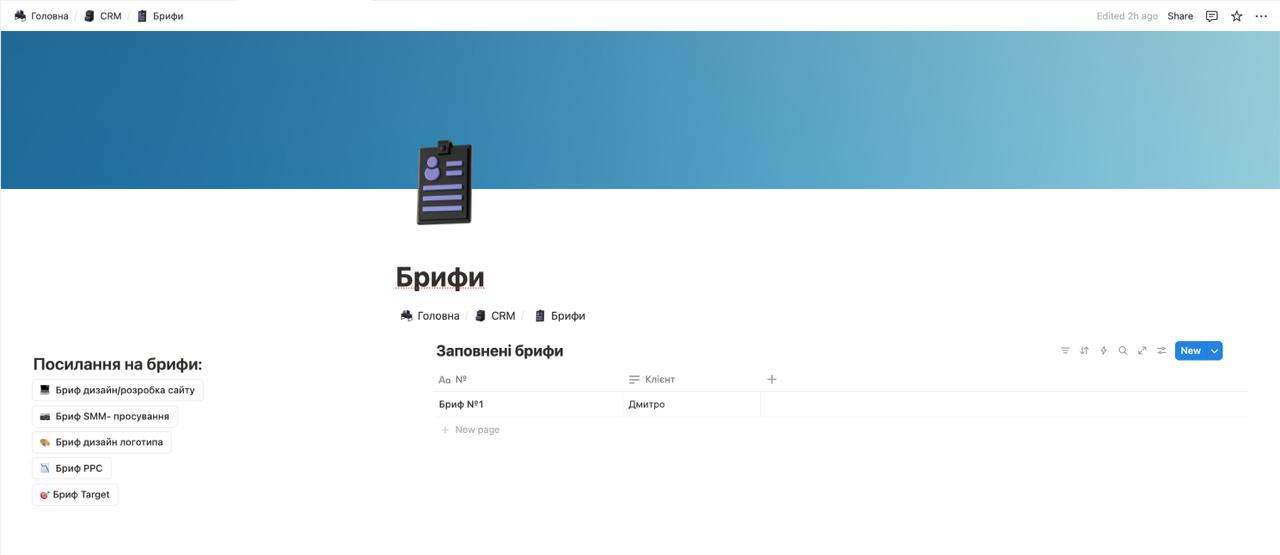
To efficiently collect and process information from clients, a “Briefs” database was implemented. This section serves as a centralized repository for all briefs filled out by clients at various stages of cooperation.
The main function of this database is to provide quick access to all necessary information provided by the client, allowing teams to promptly respond to inquiries, understand client needs, and effectively plan work.
Thanks to this structure, all information provided by clients is stored in one place, which significantly simplifies its search and processing. This, in turn, increases the speed of response to client inquiries and improves the quality of service.
7. “Shared File with Client” Section
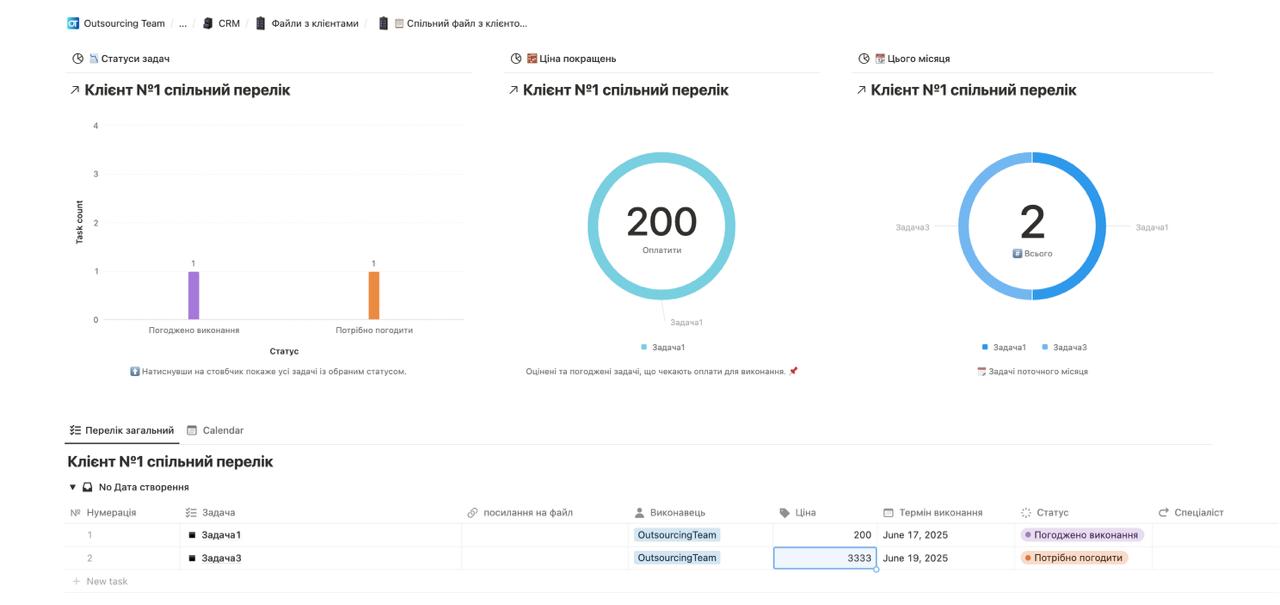
For maximum transparency and effective communication with clients, a “Shared File with Client” has been implemented. This is an individual Notion page, accessible to the client, where they can track the progress of their project in real time.
This tool integrates with internal task and project databases, providing the client with an overview of all tasks and their statuses, specifically a detailed list of tasks with a number, description, links to files, assignee, price, deadline, and status. This minimizes inquiries, simplifies coordination, and increases trust by providing the client with constant access to important information about their project.
8. “Project Tasks” Section
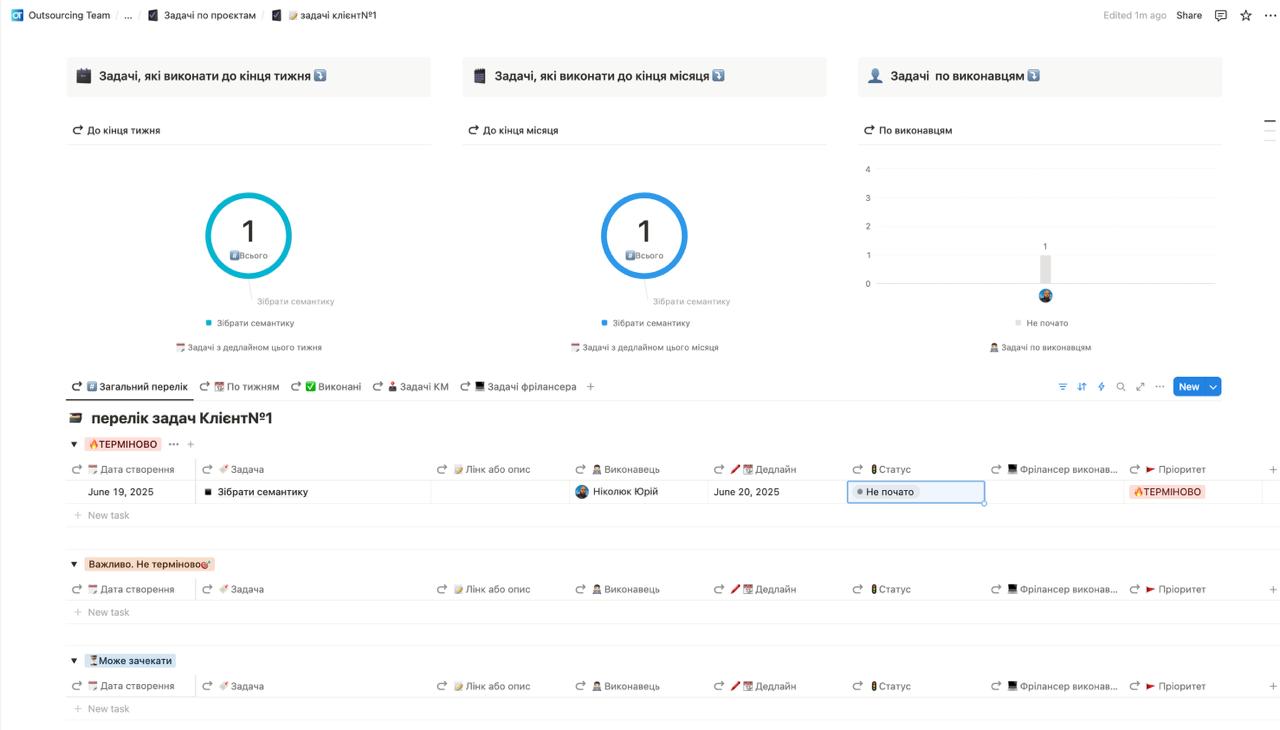
For effective work management and internal coordination, a centralized “Project Tasks” system was implemented. This section is the main tool for managers and specialists, providing a complete list of all tasks related to specific projects. Its key purpose is clear assignment of responsibilities, progress tracking, and ensuring timely completion of work.
The “Project Tasks” system provides a comprehensive overview of workload and task status. It includes dynamic dashboards such as “Tasks to complete by end of week” and “Tasks to complete by end of month,” allowing for quick assessment of immediate priorities. Additionally, the “Tasks by Assignee” chart visualizes workload distribution and the progress of each specialist, contributing to resource balancing.
This task system is an internal tool that ensures coordination and control among team members, unlike the “Shared File with Client,” which is intended for external use. The implementation of this structure significantly improved project planning, tracking, and completion, enhancing overall team productivity.
9. Managing Employee Payments
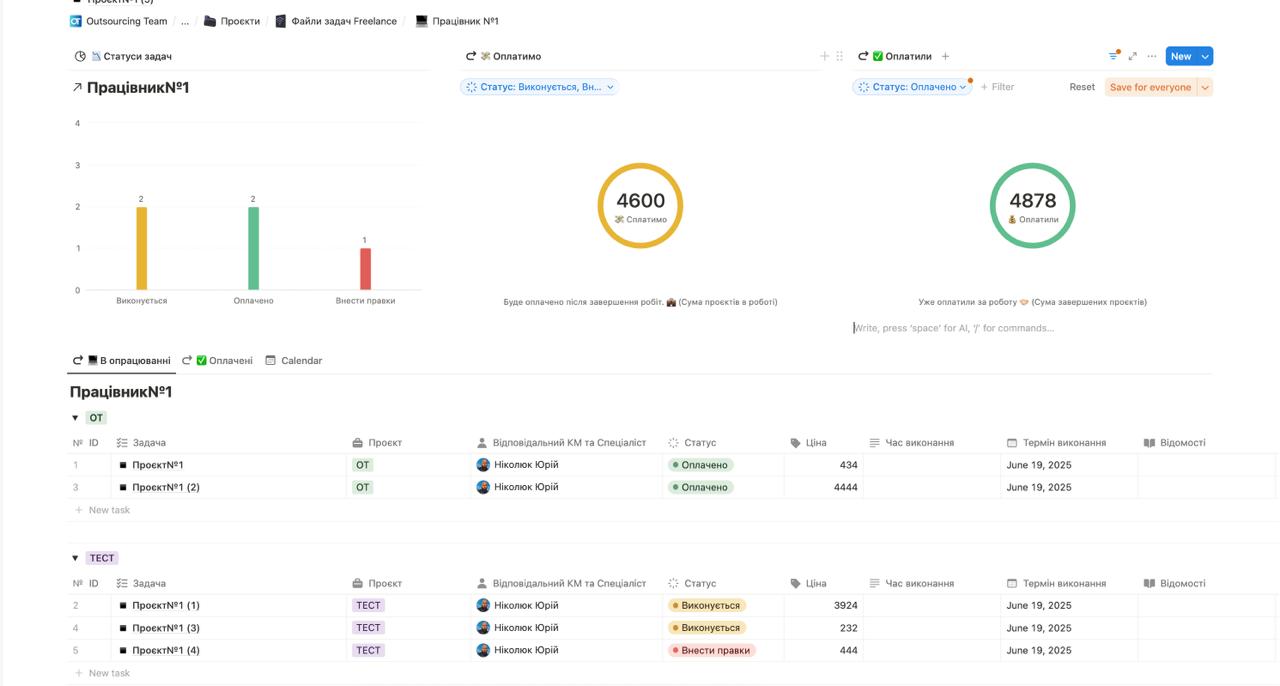
One of the key aspects of the module was the implementation of a system for managing employee payments. This Notion section provides transparent and automated accounting of completed tasks, their cost, and payment status, which is critically important for financial discipline and team motivation.
The system provides a comprehensive overview of completed work and its payment. It includes visual dashboards showing “Task Statuses,” total amount due, and already paid amounts. This allows management to quickly assess financial obligations to employees and control the budget. Tasks are also grouped by status, which makes monitoring even more convenient.
10. Integration with AI Assistant
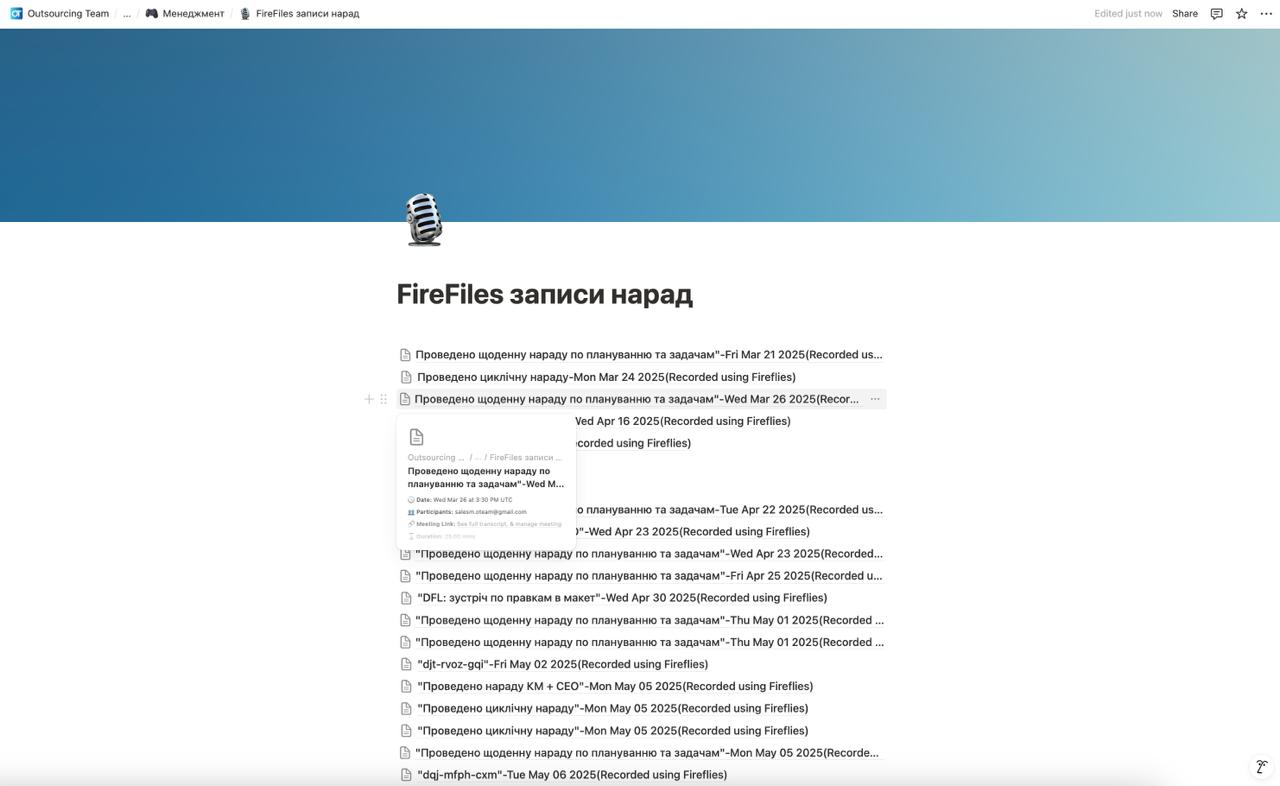
One of the key steps in increasing communication efficiency and information retention was the implementation of Notion’s integration with an external AI assistant. This tool allowed for the automation of the online meeting documentation process, ensuring that no important detail would be lost.
The integration process works as follows: during an online meeting, the AI assistant records all spoken material. After the meeting, the collected audio data is processed by artificial intelligence, which transforms it into a structured text format. This ready-made text, containing main points, decisions, and agreements, is automatically sent and stored in a separate Notion database.
The main function of this solution is to create a centralized, accessible, and fully documented repository for all discussions. This allows the team to quickly find information regarding previous meetings, verify agreements, track decisions made, and ensure the continuity of workflows. Integration with the AI assistant significantly reduced the time spent on note-taking and minimized the risk of losing important information, ensuring a high level of organization and efficiency.
 The result obtained