МИ ПРАЦЮЄМО ДЛЯ УКРАЇНИ
 Input data
 Progress of work
The project implementation process was divided into several stages: from preparing graphic content to programming the interaction logic with the database.
1. Preparation of Graphic Materials and Renders
The first stage involved working on the visual component. Since the site is based on the principle of Visual Selection, it was necessary to prepare high-quality renders of House No. 6 from various angles.
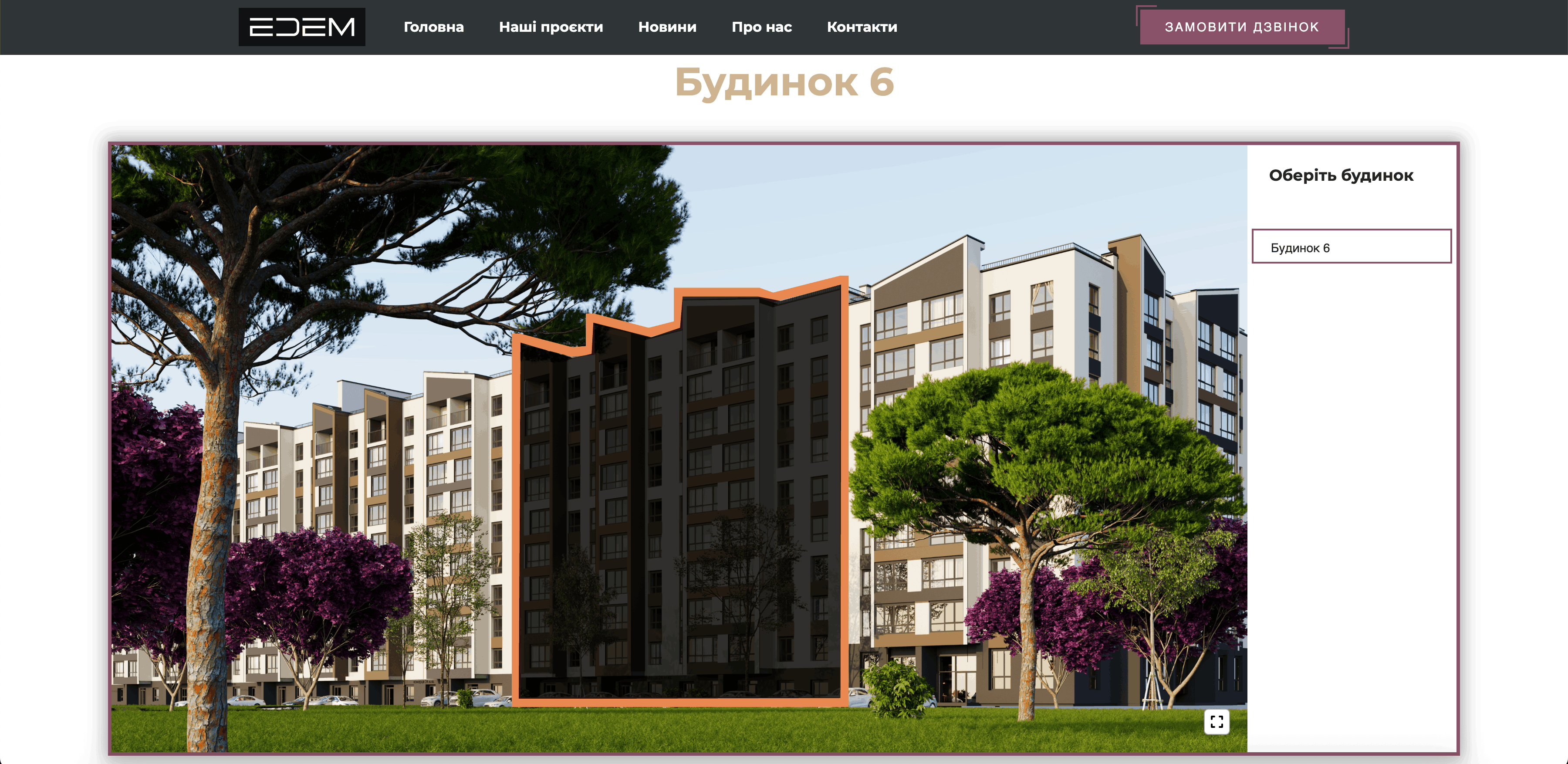
- General Plan: We updated the overall map of the complex, adding an active zone for House No. 6. For this, we used the SVG-masking method (polygon mapping) on a static image.
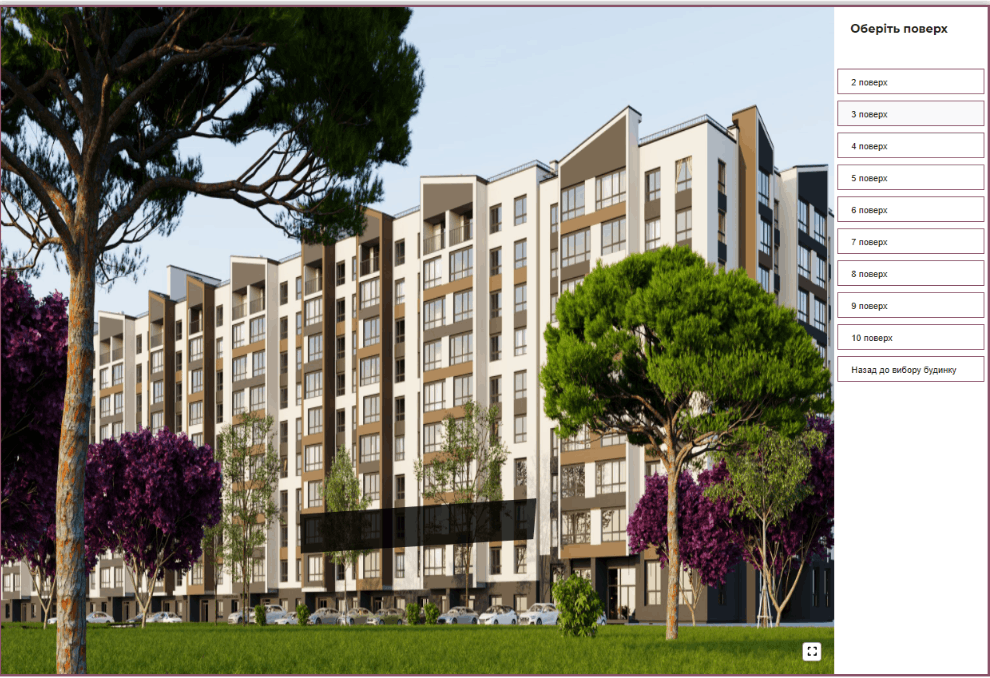
- Facades and Floors: Separate plans were created for each floor of House No. 6, taking into account the architectural features of this specific construction phase.
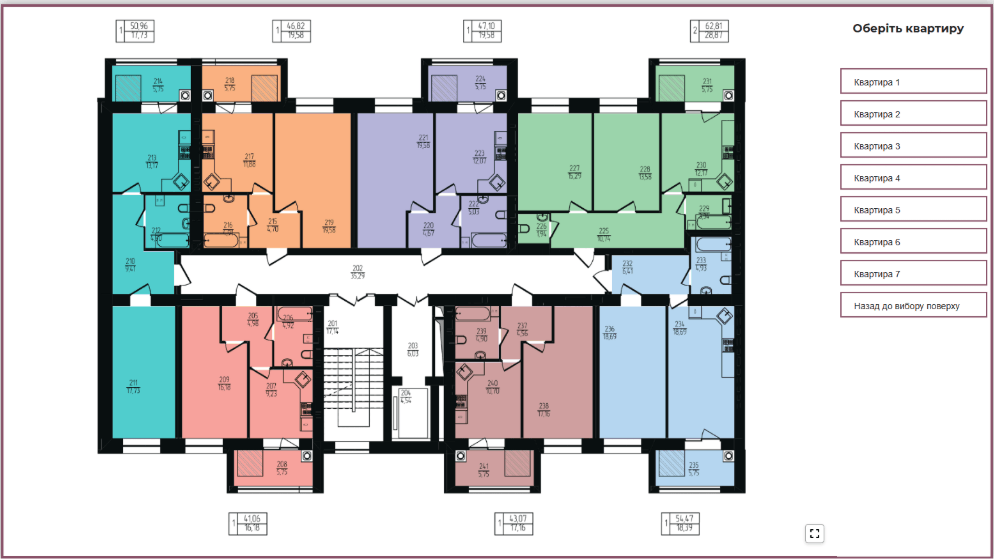
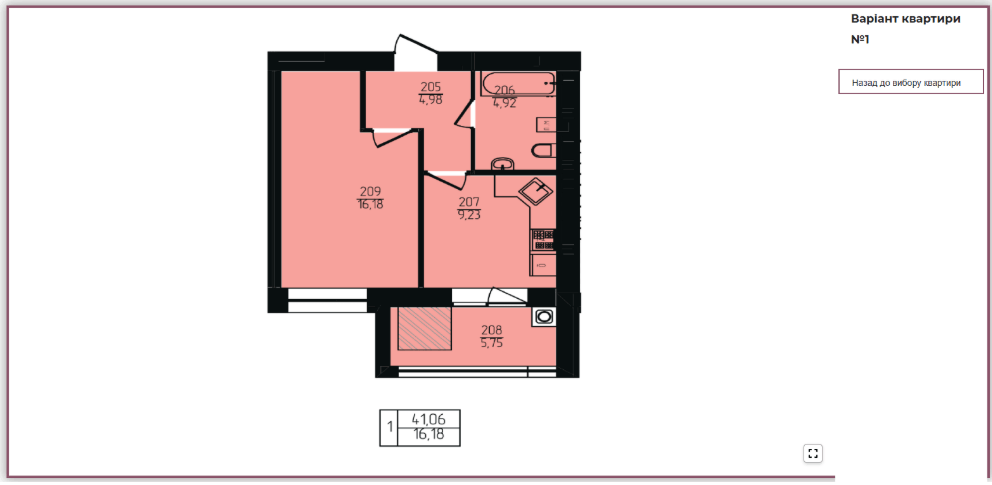
- Apartment Layouts: Each layout was converted into a vector format for fast loading and correct display on mobile devices.
2. Creating the Data Structure in the CMS
To make House No. 6 part of the overall ecosystem, the administrative panel was configured:
- Creation of a new “House No. 6” entity linked to existing categories.
- Setting up a hierarchical model: House -> Section -> Floor -> Apartment.
3. Programming Interactive Selection (Frontend)
The most critical stage was the development of the navigation logic. We implemented the functionality of “drilling down” into the object:
Level 1 (General Plan): When hovering over House No. 6, the contour lights up. Upon clicking, the user is redirected to the section/floor selection page for this specific building.
Level 2 (Floor Plan): An interactive grid was implemented. Each floor of House No. 6 is a separate object that shows the number of available apartments upon hovering.
Level 3 (Apartment Selection): On the floor plan, each apartment is a clickable zone. We used an SVG manipulation library to ensure smooth color transitions during hovering.
4. Synchronization with CRM and Database
To ensure information regarding apartment availability in House No. 6 stays current, we set up synchronization. Any status change in the developer’s database is automatically reflected on the website. Validation scripts were written to check data integrity before publishing the new building to the public.
5. Adaptation and Testing
Since real estate selection often occurs on mobile devices, we paid special attention to the UX design of House No. 6 on smartphones. Instead of complex hovers, a tap system with pop-up tooltips was implemented. Loading speed testing for the plans was conducted, as the large number of SVG elements could potentially slow down the page.
 The result obtained