МИ ПРАЦЮЄМО ДЛЯ УКРАЇНИ
 Input data
 Work progress
First, let’s clarify what Google Merchant Center (GMC) is—it’s a tool for managing product data that enables the display of products across Google services, primarily in Shopping ads (Google Shopping). It is the key platform that links your online store with the Google advertising system.
GMC Policies
For successful moderation and to prevent blocking, GMC requires strict adherence to policies:
- Accuracy and Currency of Data: This is the most crucial rule. The price and availability in the feed must exactly match the information the user sees on the landing page of your website. Any discrepancies (e.g., price in the feed is 100 UAH, but on the website it’s 120 UAH) lead to disapproval or suspension.
- Security and Transparency: The website must be secured with an HTTPS protocol, and have clear and easily accessible return and privacy policies.
- Purchase Capability: The product must be available for adding to the cart and purchasing directly on the website.
Data Feed Requirements (Feed)
A feed is a structured file (XML, CSV) that must contain a mandatory set of attributes for each product. Minimally required attributes include:
- Unique identifier for each product (and each unique variation, such as size or color).
- Title and Description.
- Link to the product page and Link to the image.
- Current price and Availability.
- Brand or Global Trade Item Number (GTIN).
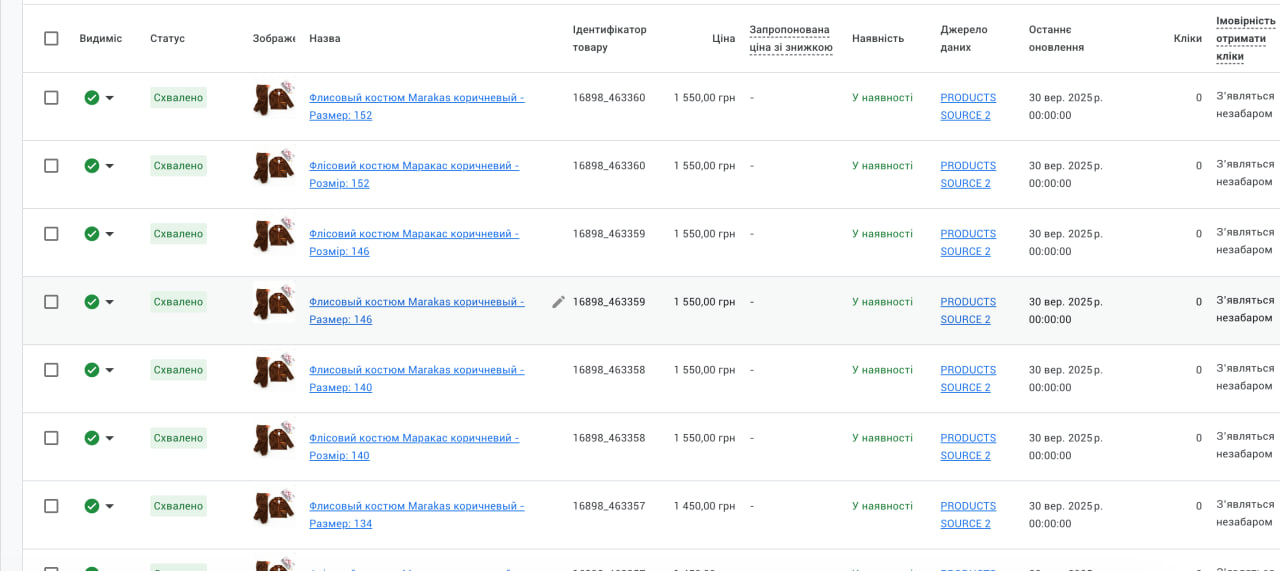
Special requirement: If a product has variations (e.g., different sizes), each unique variation must be presented in the feed as a separate product with its own ID and correct price.
Problem Description: GMC Suspension of “Marakas”
The online store “Marakas”, specializing in children’s clothing and accessories, faced an account suspension in Google Merchant Center. The main reason was critical data mismatches between the website and the product feed, which was generated automatically.
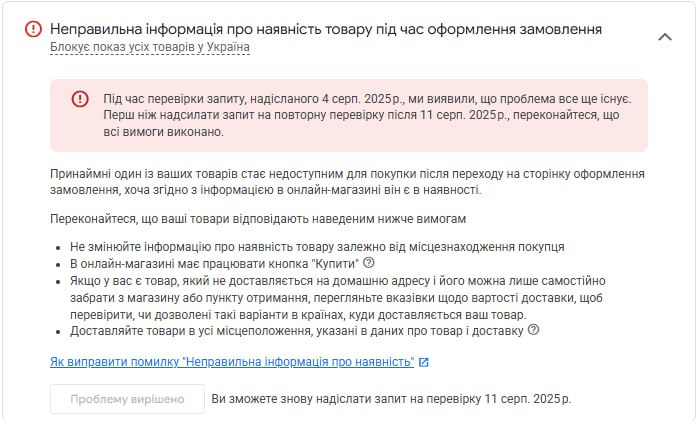

The initial workflow relied on automatic scanning of the website by a dedicated bot to form the feed, which unfortunately led to an accumulation of errors:
- Critical Price Discrepancy due to Variations:
- Problem: A general price was present on the product page, while the actual price changed based on the selected size. The bot scanning the page often captured the general (incorrect) price, creating a mismatch with the real price.
- Consequence: Direct violation of the price accuracy policy, which is one of the most frequent reasons for suspension.
- Incorrect Feed Generation for Variations:
- Problem: Products with different sizes (variations) were not properly separated in the feed. This made it impossible to correctly display the price and availability for each unique combination.
- Mistaken Inclusion of Categories:
- Problem: Due to automatic scanning, the bot mistakenly identified category pages or other service pages as separate “products” and added them to the feed.
- Consequence: The feed contained irrelevant elements with missing or incorrect mandatory attributes (price, availability, image).
- Mismatch in Availability and Cart Logic:
- Problem: Discrepancies were observed between declared availability and actual restrictions on the site. For example, the stock indicated 2 units, but the system allowed the user to add 10 units to the cart.
- Consequence: Although not always leading directly to suspension, this indicates low data quality and creates a risk of negative user experience and complaints.
- Technical Lack of Feed Structure:
- Problem: The feed file did not adhere to the strict Google Specification, where each parameter (sale price, availability, price, item group ID) must be marked with a separate, clearly defined attribute.
Comprehensive Measures for Suspension Removal
To resume the advertising campaigns, a comprehensive set of technical and content fixes was implemented.
1. Eliminating Price and Variation Issues
- Website Adjustment: The general price was removed from the product pages. Only the dynamic display of the correct price, linked to the selected size, was left. This ensured the Google bot always saw only the valid price for the specific variation.
- Changing Feed Generation (Key Fix): The logic for file generation was changed. Now, each product size is added to the feed as a separate, unique product with its own ID, price, and availability status. This ensured full compliance with Google’s requirements for variable products.
- Important: The visual representation of the product on the user part of the website remained unchanged — the user still selects the size from a list.
2. Feed Optimization and Structuring
- Disabling Automatic Scanning: To eliminate errors related to category inclusion, automatic website scanning was disabled. It was established that products are added to the feed exclusively from the internal database, containing only verified and valid products. This prevented the inclusion of categories and other irrelevant elements.
- Separation by Language: For better campaign management and alignment with geographical targeting, the language versions of the products were separated into 2 distinct feeds.
- Attribute Configuration: A full refinement of the feed generator was conducted to ensure 100% compliance with Google’s requirements. This meant every product parameter was marked with a separate, correct attribute: price, sale_price, in_stock, availability, etc.
3. Correction of Website Content and Logic
- Availability and Restrictions: The availability logic was corrected: it was ensured that the stock information (quantity) on the website always matches the reality. Furthermore, strict cart addition limits were imposed, preventing users from adding more items than are actually in stock (e.g., if 2 units are in stock, only 2 can be added). This increased data quality and user trust.
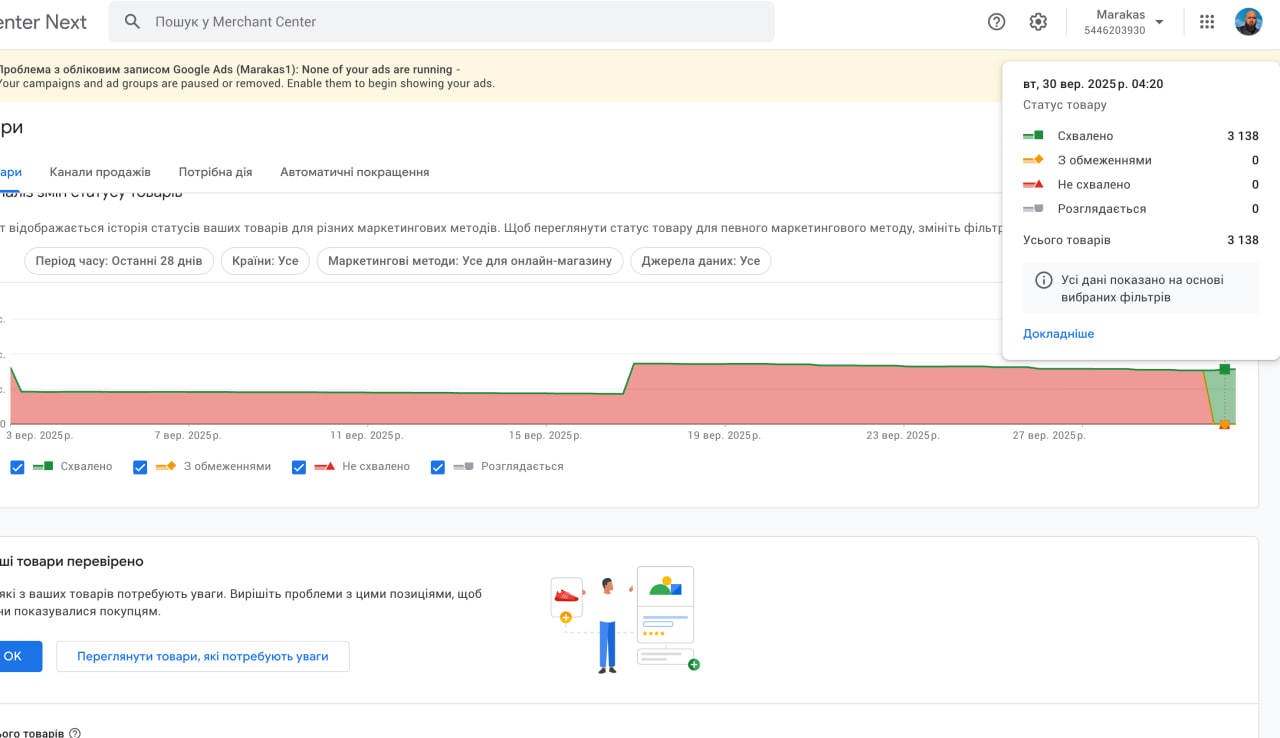
 Result obtained