РУССКИЙ ВОЕННЫЙ КОРАБЛЬ, ИДИ НА ХУЙМИ ПРАЦЮЄМО ДЛЯ УКРАЇНИ

Khmelnitsky, Zarichanska Street, 3/1,
floor 2, office 207

What is CRM for small business?

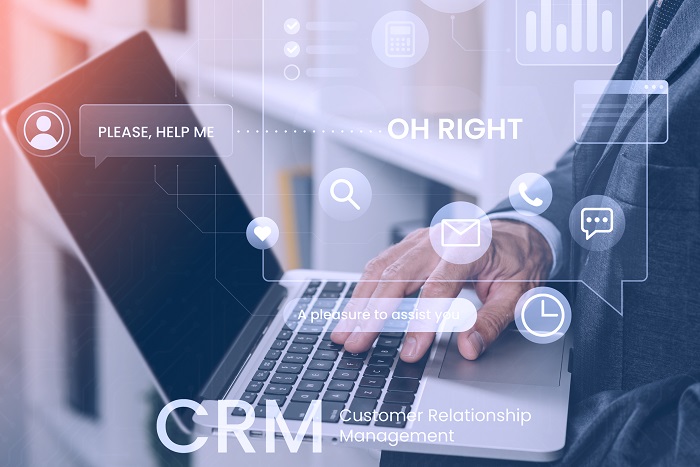
CRM for small business (Customer Relationship Management) is a customer relationship management system that is specially adapted to the needs of small companies. It is a tool that helps to organize, automate, and optimize all aspects of customer service, from the first contact to the completion of a transaction.

The main advantages of a CRM system for small businesses:

  • Automation of routine tasks: A simple CRM for small businesses allows you to automate request processing, sending notifications, and order management.
  • Data centralization: All customer data, communication history, orders, and tasks are stored in one place.
  • Analytics and reporting: CRM small business provides tools for analyzing sales, evaluating the effectiveness of marketing campaigns, and making informed decisions.
  • Customer support: The system helps to provide a personalized approach to each customer, which increases their loyalty.

Why do you need to integrate a CRM system

Integration of a CRM system for small business allows you to optimize business processes, increase team efficiency, and improve customer service. The main reasons why you need a CRM system for small business:

  • Saving time: The CRM system for small businesses automates repetitive tasks, which reduces time and effort.
  • Improved communication: A CRM system for small businesses allows you to track all interactions with customers, ensuring uninterrupted communication.
  • Analysis and planning: With CRM, you can receive detailed sales reports, analyze customer behavior, and adapt strategies.
  • Scalability: The choice of CRM for small businesses depends on the specifics of the company, but all modern systems can scale with business development.
  • Increase sales: CRM for small and medium-sized businesses allows you to better understand customer needs and increase sales.

Stages of CRM integration for small business
Stage 1 - Business needs analysis

The first step is to understand which CRM features will be most useful for your company:

  • Identify the key tasks that CRM should solve.
  • Analysis of current processes and their weaknesses
  • Setting goals for CRM implementation.
Stage 1
Stage 2 - Choosing a CRM system

The next step is to choose a suitable CRM system:

  • Comparison of popular solutions, such as a simple CRM for small businesses.
  • Consideration of budget, required functionality, and scalability.
Stage 2
Stage 3 - Setting up basic functions

After selecting the system, its initial configuration takes place:

  • Integration with other tools, such as email or payment services.
  • Set up contact, task, and sales management.
Stage 3
Stage 4 - Process automation

At this stage, automated processes are set up:

  • Send automatic email notifications.
  • Automation of report creation.
  • Optimization of application processing.
Stage 4
Stage 5 - Testing the system

Before launching, it is important to test the CRM:

  • Testing the functionality on real data.
  • Troubleshoot errors and adjust settings.
Stage 5
Stage 6 - Staff training

After the CRM is launched, employees are trained:

  • Conducting trainings and workshops.
  • Familiarization with technical documentation.
Stage 6
What we can do
Business analysis
We study your needs in detail and develop solutions that perfectly match the specifics of your business.
Recommendation of the optimal system
Our experts help you choose a CRM that meets your budget and goals.
Integration
We provide fast and high-quality CRM implementation, including process customization and automation.
Staff training
Our team provides training for your team to maximize the use of CRM.
Technical support
We provide ongoing support after implementation and ensure system updates.
Get a free consultation


    Benefits of integrating a CRM system for small businesses into an Outsourcing team
    Individual approach
    We create solutions that take into account the specifics of your business and customer needs.
    Efficiency and quality
    Thanks to our experience, the integration is performed quickly and efficiently.
    Scalability
    Our solutions adapt to the growth of your business.
    Reducing costs
    We help optimize processes, reducing time and resources.
    Improving customer service
    CRM allows you to provide a high level of service, increasing customer loyalty.
    Transparent pricing
    No hidden fees - only clear terms and predictable results.
    Our clients
    https://outsourcing.team/wp-content/uploads/2022/11/vertikalnij-variant-bez-fonu.png
    https://outsourcing.team/wp-content/uploads/2021/02/Mask-Group-5-min.png
    https://outsourcing.team/wp-content/uploads/2021/02/Mask-Group-6-min.png
    https://outsourcing.team/wp-content/uploads/2021/02/Mask-Group-7-min.png
    https://outsourcing.team/wp-content/uploads/2021/02/Mask-Group-8-min.png
    https://outsourcing.team/wp-content/uploads/2021/02/Mask-Group-9-min.png
    https://outsourcing.team/wp-content/uploads/2021/02/Mask-Group-min.jpg
    https://outsourcing.team/wp-content/uploads/2021/02/Mask-Group-min.png
    https://outsourcing.team/wp-content/uploads/2021/02/Mask-Group-3-min.png
    https://outsourcing.team/wp-content/uploads/2021/02/Mask-Group-2-min.png
    https://outsourcing.team/wp-content/uploads/2021/02/Mask-Group-1-min.png
    https://outsourcing.team/wp-content/uploads/2021/02/Mask-Group-1-min.jpg
    Certificates
    Frequently asked questions about the integration of CRM for small business
    What is CRM for small businesses and what are its main advantages?
    CRM for small businesses is a system that helps organize customer interaction, automate processes, and store all information in one place. The main benefits are time savings, improved communication, analytics, and increased sales.
    Which CRM systems are best for small businesses?
    Popular CRMs for small businesses: Zoho CRM, HubSpot CRM, Pipedrive. The choice depends on your goals, budget, and required functionality.
    Is it possible to integrate CRM with websites, online stores, and social networks?
    For example, most CRM systems support integration with online trading platforms, websites, and social networks such as Facebook, Instagram, and LinkedIn. This allows you to collect customer data and manage customer interaction.
    How to set up automatic accounting of customers, sales, and tasks in CRM for small business?
    To do this, you need to set up automation in CRM: create tasks based on events, automatically update order statuses, and generate reports. Our team will help you do this quickly and efficiently.
    Does the CRM support integration with messengers (Telegram, Viber) and telephony for convenient communication?
    For example, modern CRM systems support integration with popular messengers and IP telephony. This allows you to conduct all communications with customers in one place.
    What is the cost of CRM implementation for small businesses and are there any additional costs?
    The cost depends on the chosen system, the required functionality, and the complexity of the integration. Additional costs may include technical support, updates, and staff training.
    How to order CRM integration for small business and what are the stages of implementation?
    To order CRM integration, contact the Outsourcing Team via our website or by phone. Implementation stages include needs analysis, system selection, feature configuration, automation, testing, and staff training.
    What difficulties can arise when integrating CRM in a small business and how to avoid them?
    The main difficulties include uncertainty of business processes, insufficient staff training, and technical failures. A detailed analysis, high-quality system setup, and support from professionals will help to avoid them.
    Reviews

    Irina Pashko

    28-06-22

    We started working with the Outsourcing team from the very beginning. After the first meeting, there was no doubt that they knew what they were doing. The result was not long in coming!

    Ilya Khrust

    28-06-22

    Cool company with cool people! They will help with bringing your product to the Internet - from creating a website to maintaining pages and advertising on social networks.

    Sergei Yatsyshen

    28-06-22

    Individual and original, confident and powerful – a team of professionals who know what to do and how. It was a pleasure to work together, I learned a lot myself. I recommend to everyone.

    Leila Radchenko

    28-06-22

    We have been cooperating with the Outsourcing Team for about 2 years. During all this time, there was no thought of finding other contractors. We have a product that is difficult to promote, and in order to effectively advertise it, you need to understand its essence. The guys watched seminars, participated in master classes, etc., in order to understand as well as possible what they are promoting. This is true professionalism for me. At the same time, the results were not long in coming - thanks to the increase in the influx of leads through advertising, we managed to increase profits. Good luck to you! We love you and are ready to try all the innovations in the field of advertising

    Alex Klishch

    28-06-22

    A great team that can be trusted to bring your business online "from A to Z"

    Lviv Lutsk Rivne Vinnytsia Khmelnytskyi Zhytomyr Chernivtsi Uzhhorod Ivano-Frankivsk Ternopil Kyiv Chernihiv Sumy Poltava Kharkiv Luhansk Donetsk Dnipro Cherkasy Kropyvnytskyi Odessa Zaporizhia Kherson Mykolaiv
    Contacts

    Khmelnytskyi

    Zarichanska Street, 3/1, floor 2, office 207

    +38 (067) 409 15 25

    info@outsourcing.team


      Thank! Your message has been sent.